
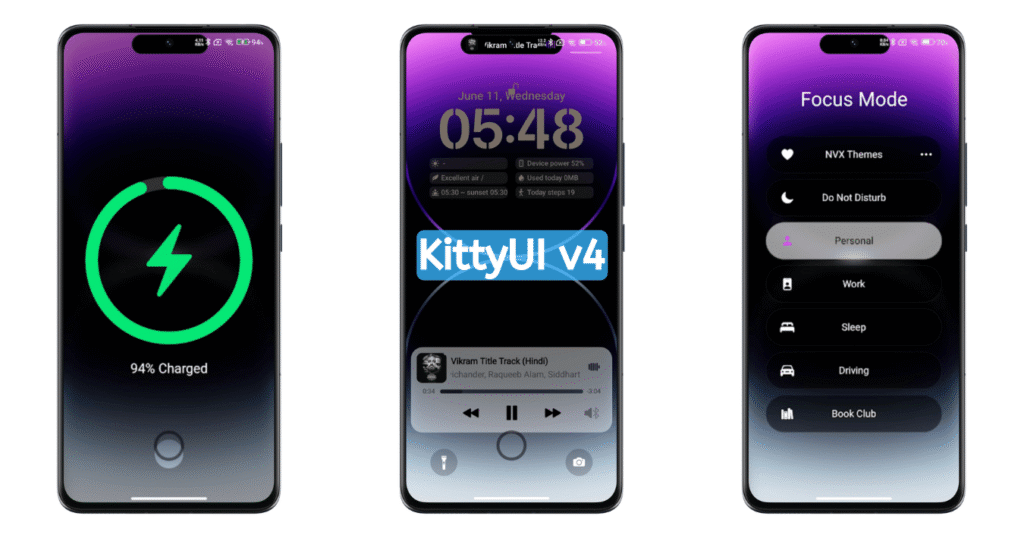
KittyUI v4 MIUI Theme is a premium HyperOS Theme featuring the iOS Style User Interface with support of HyperIsland. In this Dynamic Theme, we can find a lot of premium theme features that make it one of the Best HyperOS themes. It’s beautiful Dynamic Island looks very premium and useful too. With this Dynamic Island, you can take control of the music and multimedia easily. Also, it’s iOS Inspired App Icons, App Widgets and Customizable Lockscreen are really premium.
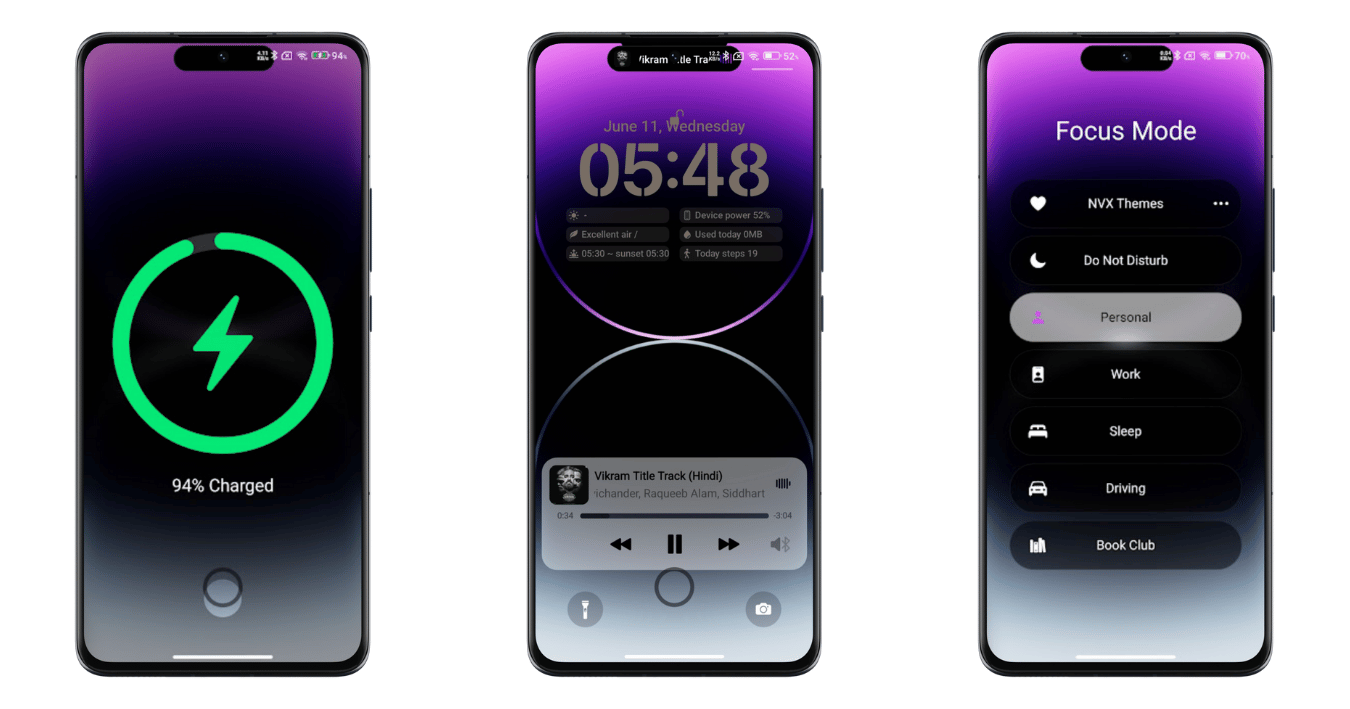
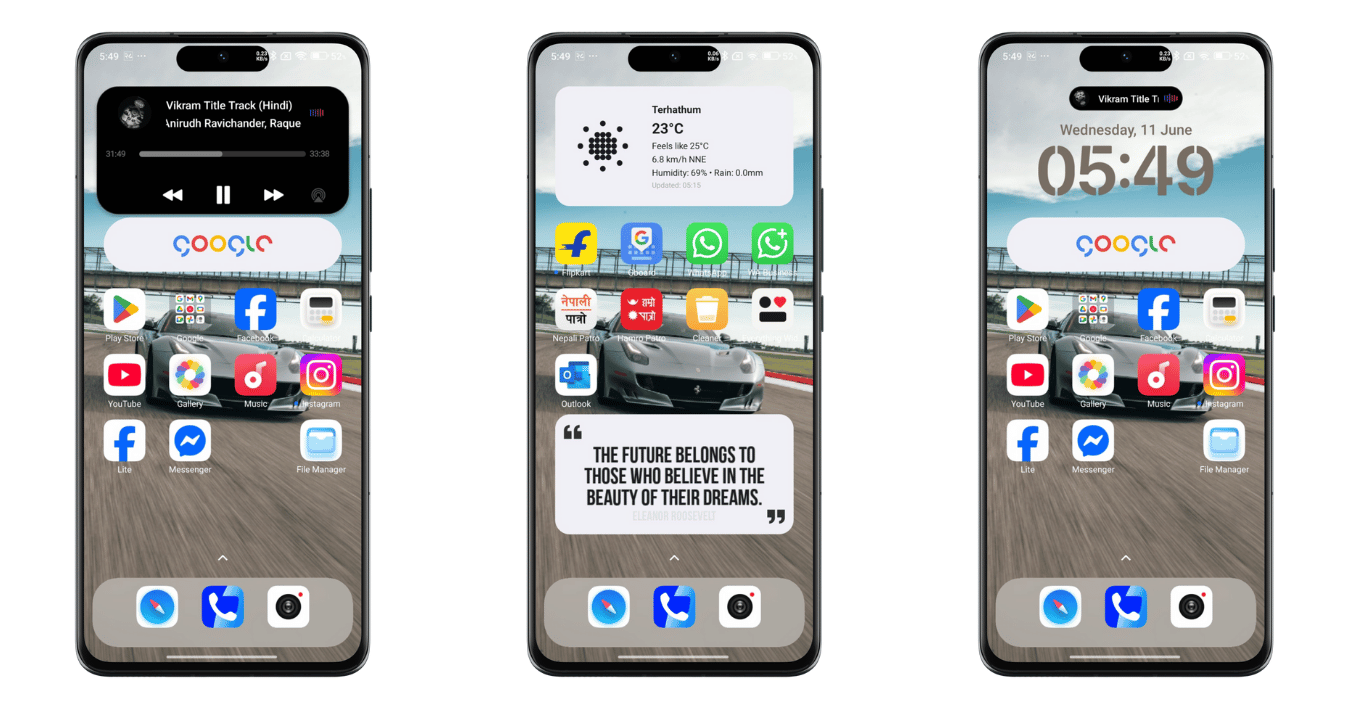
In this KittyUI v4 HyperOS Theme sets the complete personalization options are set. Starting with its Lockscreen, there are a lot of options that make it easy in every customization options. Also, we can find the beautiful lockscreen here to set as per our needs. Besides, the Homescreen is also packed with preset App widgets inspired by iOS. Also, the premium iOS App Icons in this theme are not the same as iOS, but are inspired by the Apple iPhone.
KittyUI v4 MIUI HyperOS Theme
If you are searching for the Best MIUI Theme then it’s one of the best themes to personalize your Xiaomi phones, like the Madara Theme. RealX Legacy HyperOS Theme here too, you will find plenty of customization features that definitely make this theme the best customization experience without rooting your phone, it’s just by downloading/applying a single theme.
As I already mentioned above, there are a lot of cool features that stand out in this KittyUI v4 Theme as compared to other normal themes. Also, by unlocking it from the Customise option, you will be the one to explore numerous options to take control over this theme and give the best User Experience to your Phone.
Major Features of KittyUI v4 HyperOS Theme
In this iOS Theme for HyperOS, we can find a lot of premium and iconic experiences that make it one of the best and most beautiful themes. Here we can see the beautiful iOS App Icons, Redesigned Control Center, Hyper Island, Customizable lockscreen and Revamped Homescreen. So, here are the complete details of each spec for you,
Hyper Island (Similar to Dynamic Island)
The biggest attraction of this theme is its Dynamic Island. As on iOS, here too you will find the beautiful Dynamic Island by unlocking it from the Customise option. With this beautiful Dynamic Island, you can easily take control over your multimedia, including music and video playback. Yes, on an iPhone, you can use it to control your multimedia experience.
Although you can’t get full control over the different daily usage tasks like Reminder, Stopwatch, and other regular phone call updates, the Dynamic Island still looks premium on your Phone. If you want to explore an iOS-style Dynamic Island, then you can get it by default from the HyperOS 3.0 Update.
Charging Animation
In this KittyUI v4 MIUI Theme, you will find the amazing Charging Animation. This charging animation looks premium and works perfectly. You can experience this charging animation in your Xiaomi phone by enabling it from the Customise option in Lock Style.
This charging animation works while your phone is plugged in. So, yes, it’s another Best part of this theme. Also, you can change the charging animation style easily from the Customise option as per your requirement or if you want to explore the new Charging Animation Experience.
Redesigned iOS Control Center
Another highlight of this KittyUI v4 HyperOS Theme is its Control Center. Yes, after applying this theme, you will get the new Blue color control center inspired by iOS. In this control center, you will find the new app shortcuts and widgets, which make it easy to take control of your phone’s basic features.
By default, you will get this iOS Control Center from the Lockscreen. But in fact, you can only access this control center in this theme from Lockscreen. So, it means it’s just a non-working animation feature added to Lockscreen, although it’s a Control Center.
Focus Mode
With Focus Mode, you can set different routines and reminders. Also, in this Focus mode, you can set the reminders, events and modes as per your need. Like the Control center you can also access these features from the Lockscreen of your phone.
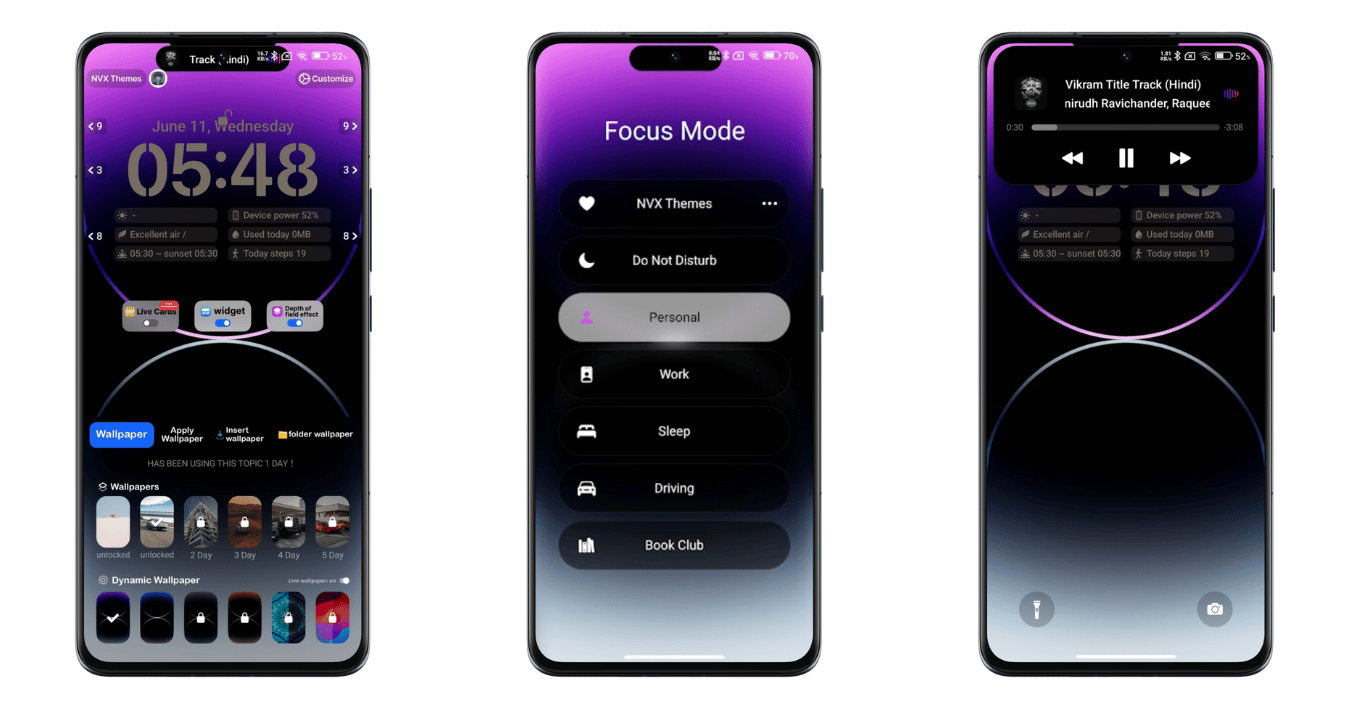
In lockscreen, you can set it and customize it easily as per your needs. Also, you can set the placement of this Focus Mode so that it makes it easy to get easy access to these features. To edit, enable and customize this Focus Mode, you have to go to the my account>Lock style>Customise and then find the Focus Mode by unlocking your theme with a password.
Extended Lockscreen Customization
Yes, in this KittyUI v4 Theme, you will get a large number of customization options. Here you will find a bundle of options and features to customize your Lockscreen to make it perfect and best as per your requirements. In this KittyUI v4 HyperOS Theme, you will find a lot of presets and customization options, like clock widget customization option, additional widgets of weather and date and other features.
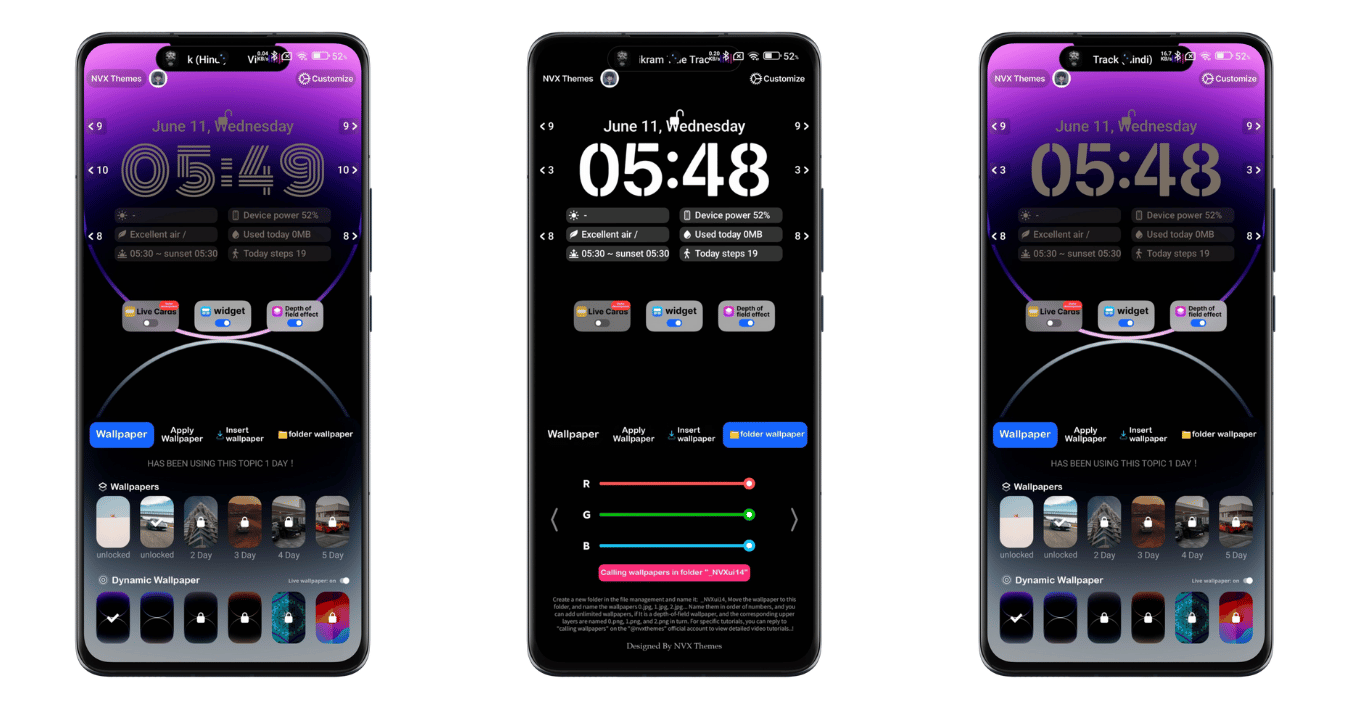
Likewise, here you will find a lot of refreshing and dynamic wallpapers to personalize your Xiaomi Redmi Phones in a better way. Besides, it has the beautiful lockscreen option and other minor changes in it, which make it one of the Best MIUI Themes.
KittyUI v4 MIUI Theme Details
So, after getting the details about the theme, here are also some key highlights that you need to know,
| Theme Name | KittyUI v4 |
| Designed by | NVX Boss |
| Theme Size | 50.68 MB |
| Compatibility | MIUI & HyperOS |
KittyUI v4 Theme Download
So, here’s an official store download link for this theme. If you are running on region-based ROMs and doesn’t support the official store link, then you can try this MTZ File link provided on two different servers.
▶ Tap to View Password
How to Install KittyUI MIUI Theme
It’s really simple and easy to install the theme on any supported Xiaomi phone. If you are running in Global and other region-based ROMs like HyperOS Global, HyperOS India, HyperOS Indonesia, then you can easily download this theme from the Official Theme Store. So, if not, then you can download the MTZ File and easily import from the theme option in the theme store. So, here’s the simple process to be followed by following the Official Store link.
- Please tap on the Official Theme Store Link; it will redirect to the Theme Store App.
- Tap on Download, it pops up the notice ‘Compatibility Issues’, so simply tap on Got It, then it starts downloading.
- After downloadindg tap on APPLY, it starts applying,
- That’s it.
Process to Customize
After applying this theme Go to My account>Lock style>Customise. From here, enter the password CAT17 and then OK. After that, scroll down and start customizing as per your needs. You can find a lot of section features and their sub-sections, from where you can turn on/off, customize, and edit the features as per your needs.
Conclusion
KittyUI v4 MIUI Theme sets all the premium customization options, whether it’s lockscreen, homescreen, control center and overall UI. I hope this Premium KittyUI v4 HyperOS Theme fullfills your all your personalization features to make your phone premium and explore a better User Experience.